

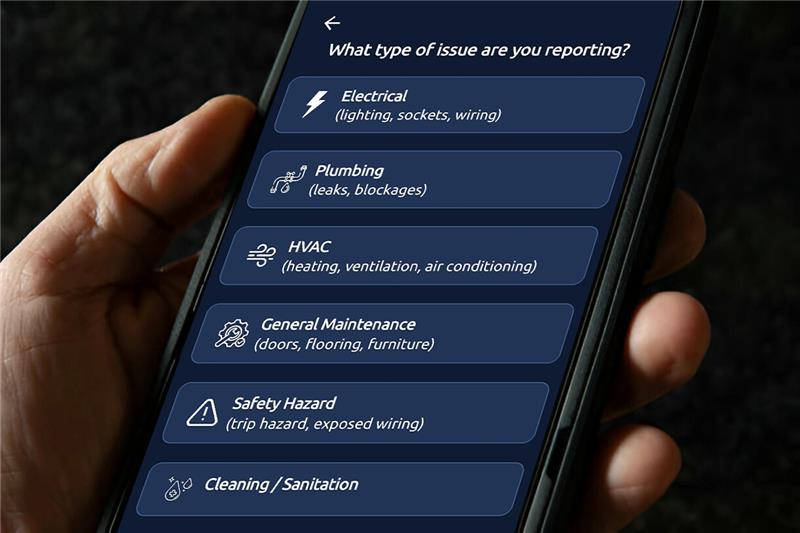

Report an Issue, Right from the MiSentinelSOS App
Not all workplace risks start with an emergency. Sometimes it’s the small issues, a damaged door, unsafe equipment, broken lighting, or signs of a break-in, that lead to bigger incidents when left unnoticed. With the new Report an Issue feature in MiSentinelSOS, your workforce can now instantly flag problems before they escalate.

How it Works

Using their mobile device, staff can

Capture and Upload Photos

Quickly take a picture of any issue on-site — from health and safety hazards to cleaning concerns or property damage.

Add Notes for Context

Provide a brief description so your management or control room teams understand exactly what needs attention.

Submit in Real-Time

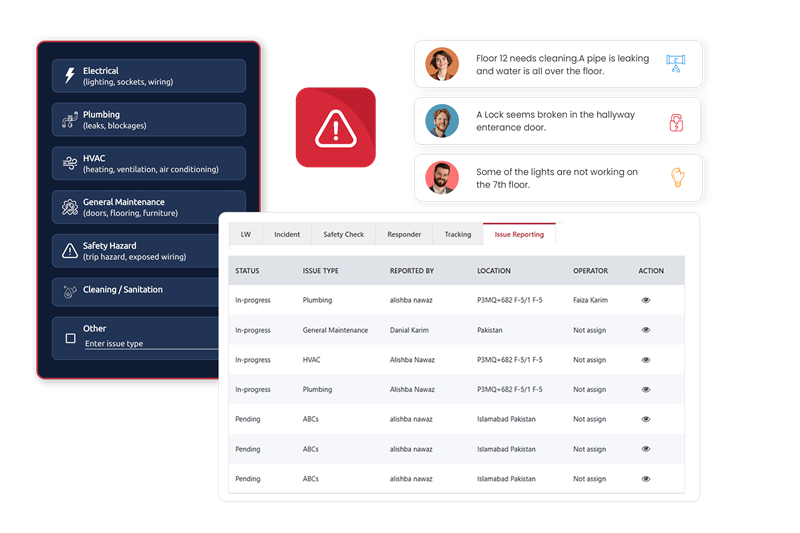
Alerts are logged immediately within the MiSentinelSOS management dashboard, ensuring a fast response and clear visibility.

Track, Review & Resolve

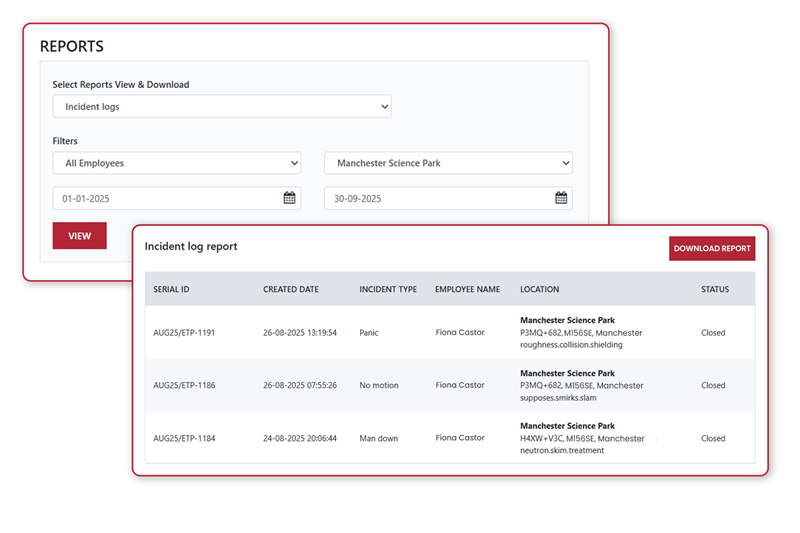
Every report is stored with timestamps, locations, and user details, creating a transparent audit trail and improving accountability.
Empowering Safer, Cleaner, and More Responsible Workplaces

Whether it’s a spill that needs cleaning, vandalism, a broken lock, or suspicious activity, MiSentinelSOS ensures nothing goes unnoticed. By giving your team the ability to report issues proactively, you strengthen safety, reduce operational delays, and maintain a more secure environment.

Proactive Issue Reporting

Empower your workforce to identify and report site issues instantly with MiSentinelSOS. Staff can capture photos, add contextual notes, and submit reports in real time, ensuring your management team is alerted before small problems become major risks.

Lone Worker App FAQs

A lone worker app is an application that can be downloaded on smartphones designed to protect employees working alone.
The most basic function of a lone worker app is to raise an SOS alarm when the user needs help, for example if they’re in danger, suffer an injury or feel threatened.
A lone worker app is linked with a 24/7 Alarm Receiving Centre (ARC). When the SOS alarm button is pressed, an alert is raised in the ARC and audio communication is opened between the smartphone and the ARC Controller. You can also use a lone worker app to set timers for specific tasks and to check in/out of the working day.
The MiSentinelSOS lone worker app is available to download from both the Apple Store and the Play Store. Before gaining access to the app’s features, your employer will need to have purchased a User ID and User Token.

Keep Your Lone Worker Secured!

We offer solutions that match your specific needs.
Find out  what we can do for you.