
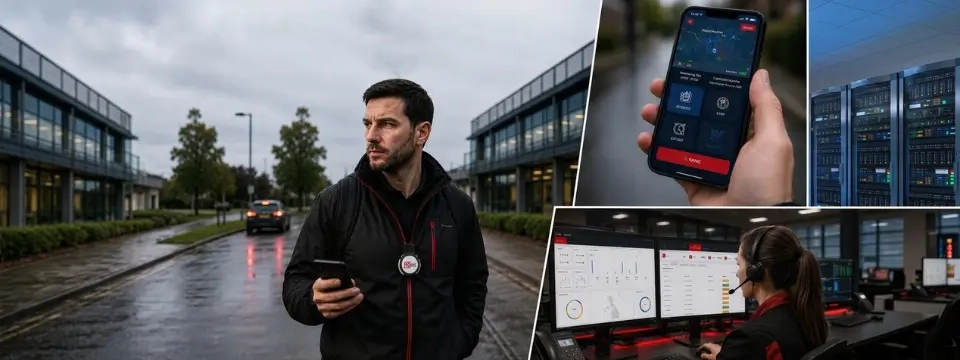
A housing officer arrives at a void property on a quiet estate to carry out an inspection. She’s told the office she’ll be about forty minutes. Forty-five minutes pass. Fifty. Nobody notices, because nobody was watching the clock — and even if someone had been, nobody had agreed what should happen next.
This is the moment that matters most in lone-worker safety, and it’s the moment most organisations haven’t actually planned for.
Most lone-worker policies focus heavily on the check-in itself: log your start time, confirm your arrival, call when you’re done. It feels thorough. It looks good in a policy document. But a check-in on its own answers only one question — did the worker check in? It says nothing about what happens the moment they don’t.
It’s worth being direct about this: the value of a check-in is not the check-in itself. It’s what happens when that check-in is missed.
A missed check-in can mean any number of things. A signal dropped. A meeting overran. A patient needed longer than expected. Or, far less often but far more seriously, something has gone wrong — a fall, an assault, a medical episode, a confrontation that escalated.
“The organisations that manage lone-worker risk well aren’t the ones with the most rigorous sign-in sheet. They’re the ones that have already answered a harder set of questions.”
Who notices a missed check-in, how quickly, what they do about it, how they find the worker, and who they escalate to if contact still can’t be made. Without that chain, a check-in system is really just a record-keeping exercise — useful for hindsight, not much help in the moment it’s needed.
A genuinely effective process connects several stages, not just one:
Miss any one of these links and the chain doesn’t hold. An SOS button is only useful if someone is monitoring for the alert. Location data is only useful if it reaches the right person quickly. Escalation only works if it’s been designed in advance, not improvised during a crisis.
The same chain applies whether the risk looks dramatic or mundane.
In every case, the common thread isn’t the button. It’s the process behind it.
It’s important to be clear about what a lone worker app, alarm or monitoring platform can and can’t do. Software can support an organisation’s wider approach to managing lone-working risk, whether the workforce is field-based, home-visiting or otherwise remote. It doesn’t, on its own, fulfil an employer’s legal duty of care. That still depends on proper risk assessment, clear procedures, adequate training, appropriate supervision, good communication, and workable emergency arrangements — with technology sitting alongside those, not instead of them.
The same applies to location tracking. GPS-based lone worker safety features and “Track Me” functionality are genuinely useful for locating someone quickly in an emergency, but lone worker monitoring involves an employee’s whereabouts, and that should always be introduced transparently, used proportionately, and applied for a clearly defined safety purpose — not as a general surveillance tool. Staff should understand what’s being tracked, when, and why.
No app, wearable or monitoring service can guarantee an employee’s safety or prevent an incident from happening. What good technology can do is close the gap between something going wrong and someone finding out — and that gap is where the real risk sits.
MiSentinelSOS is built around that connected chain, rather than around a single alert button.
Workers can raise an SOS alert directly from the mobile app (iOS and Android), and Man Down functionality is designed to detect a lack of movement that may indicate a fall or incapacitation, even when the worker can’t act themselves. Track Me allows a worker’s location to be actively monitored during a defined period of higher risk, while scheduled welfare checks prompt a worker to confirm they’re safe at intervals appropriate to the task.
If a check-in, welfare check or alert isn’t responded to, MiSentinelSOS supports configurable escalation procedures, so organisations can define, in advance, who is contacted and in what order — rather than working it out under pressure. GPS location data supports that escalation by helping responders understand where the worker actually is. Where included in a deployment, alerts can be routed through 24/7 monitoring via an ARC partner, and MiSentinelSOS also supports compatible Bluetooth wearable panic buttons for a more discreet way to raise an alert. Every event is captured in an audit trail, giving organisations reporting they can use to review incidents and refine their procedures.
Used this way, MiSentinelSOS isn’t just a safety app sitting on a phone. It’s a practical way of putting structure behind a lone-worker policy that might otherwise exist only on paper.
If your organisation currently relies mainly on check-in calls or a simple sign-out sheet, it’s worth asking a straightforward question: what actually happens if someone doesn’t check in on time? If the honest answer is “it depends who notices,” there’s a gap worth closing.
If you’d like to talk through your organisation’s lone-worker arrangements, or see how MiSentinelSOS could fit alongside your existing risk assessment and procedures, we’d be glad to arrange a demonstration or an informal conversation about your requirements.